
File Pro - Easy Files & PDF6.8 - App Store
You'll be able to see results in few seconds.
Publisher Description

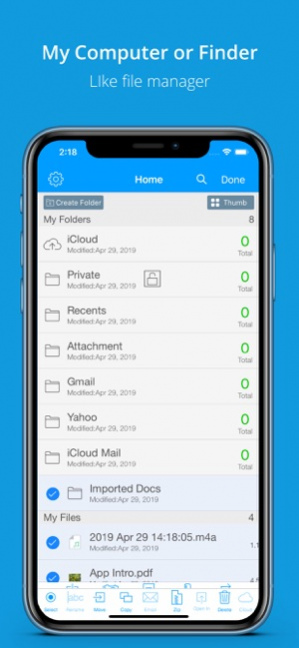
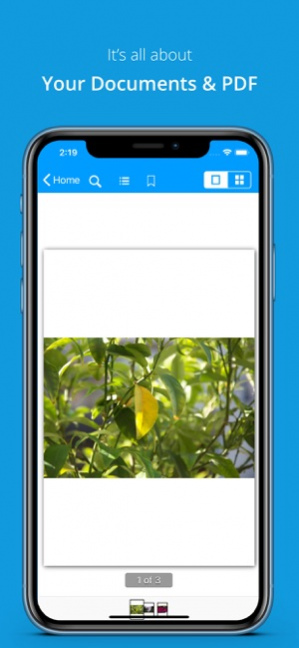
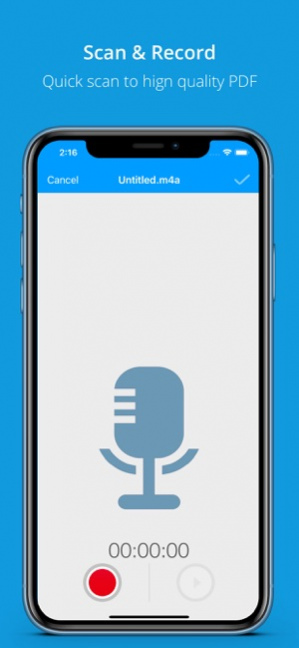
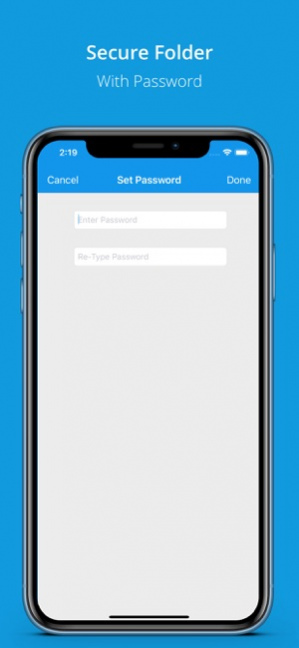
Multipurpose, Easy-to-Use and Robust app for files & documents. Import files, documents & media from PC/Mac, email attachments, dropbox, sugarsync, iCloud & Box.net to File Pro along with amazing transfer features of FTP and Wifi.
The only documents manager app which includes total security of files along with PDF scanner, Audio Recorder, editing TXT files & now awesome Email attachment saver & organiser.
Open all kind of file & documents including RAR and CBR files.
SO MUCH AT SO LESS is called File Pro
Why would you spend 5 - 6 dollars for some file reader app, scanner app, audio memo, folder locker app and file manager app if there is File for you to perform all these tasks. Not just reading and scanning documents is the main aim of the app but to manage/organize your documents properly and using them easily when needed.
FILE TRANSFER
• Transfer files using Wi-Fi & FTP
• Sync files with iCloud
• Transfer files using USB
• Sync files with Dropbox, Box.net & Sugarsync
• Import photos/videos from photo library
• Capture photos/videos from within app.
CREATE FILES
• Scan to PDF File/Save PDF in Portrait/Landscape View
• Create Text File
• Create Zip File
• Audio Files
FILE MANAGEMENT
• Create Folders/SubFolders
• Copy/Move/Remove and Rename FIles/folders
• PRIVATE FOLDER (move private docs in this folder and lock folder with a password)
• Make ZIP of files and Email it
• Select Multiple Files to delete, email, copy, move.
• Sorting and Searching documents
• Open password protected PDF.
• Select all files and folders on a single click
BROWSING FILES
• SORT FILES - By their names, by size, by date, and by type.
• SEARCH FILES - Search your file from a collection at the spur of the moment.
• LANSCAPE/PORTRAIT SUPPORT
• Display of file size, extension and last modified date, total files in a folder etc.
PDF VIEWER
• iBooks like thumbnails of pdf and Large thumbnails view
• Search & Highlight Text
• Read password protected pdf file
• Bookmark pages
• Open Links
• Jump to page from index
• Air Print Support
• Portrait and Landscape Support
• "Open In" other apps
PHOTO VIEWER
• Swipe to change image
• Play slideshow
• Copy to clipboard
• Airprint, Email and Save to camera roll
• Transition effects and settings for time duration
• Delete image
SUPPORTED FILES
- Images (JPG, PNG, GIF, TIFF and others)
- iWork Documents (Pages, Numbers / Keynotes)
- PDF
- Office (Word, Excel and PowerPoint)
- Text File (Rich Text Format)
- Audio (MP3, AAC, Audible, Apple Lossless, AIFF, WAV)
- Video (all iPhone supported formats, MPEG-4, MP4, MOV)
- HTML / Comma Seperated (CSV) files
- ZIP/RAR & CBR files.
Save Mail Attachments Directly to File
*** Media Review ***
"You have tons of files you need to get from one device to another, so what do you do? You use File Pro, that’s what you do." - App Chronicles.
Air Print
Get the hard print of files from the soft copy via the air print feature.
Retina Graphics
Retina graphics for iPhone 4 and the new iPad.
SECURE Documents
Lock app with passcode if you do not wish anyone else to view your important documents
Email Files
Share your files or documents on the go via Email just in one click!
App is compatible with iPhone 3GS, iPhone 4, 4S, iPhone 5, iPhone 6, iPhone 6 Plus iPod 4th Generation and iPod 5th Generation, iPad1, iPad2, the new iPad, iPad 4 and iPad mini.
May 1, 2019 Version 6.8
Minor bug fixes.
About File Pro - Easy Files & PDF
The company that develops File Pro - Easy Files & PDF is Perception System. The latest version released by its developer is 6.8.
To install File Pro - Easy Files & PDF on your iOS device, just click the green Continue To App button above to start the installation process. The app is listed on our website since 2019-05-01 and was downloaded 0 times. We have already checked if the download link is safe, however for your own protection we recommend that you scan the downloaded app with your antivirus. Your antivirus may detect the File Pro - Easy Files & PDF as malware if the download link is broken.
How to install File Pro - Easy Files & PDF on your iOS device:
- Click on the Continue To App button on our website. This will redirect you to the App Store.
- Once the File Pro - Easy Files & PDF is shown in the iTunes listing of your iOS device, you can start its download and installation. Tap on the GET button to the right of the app to start downloading it.
- If you are not logged-in the iOS appstore app, you'll be prompted for your your Apple ID and/or password.
- After File Pro - Easy Files & PDF is downloaded, you'll see an INSTALL button to the right. Tap on it to start the actual installation of the iOS app.
- Once installation is finished you can tap on the OPEN button to start it. Its icon will also be added to your device home screen.
Program Details
System requirements
Download information
Pricing
Version History
version 6.8
posted on 2019-05-01
May 1, 2019 Version 6.8
Minor bug fixes.
version 5.8.1
posted on 2012-08-08
Disclaimer
Official App Store Link
We do not host File Pro - Easy Files & PDF on our servers. We did not scan it for viruses, adware, spyware or other type of malware. This app is hosted by Apple and passed their terms and conditions to be listed there. We recommend caution when installing it.
The App Store link for File Pro - Easy Files & PDF is provided to you by apps112.com without any warranties, representations or guarantees of any kind, so access it at your own risk.
If you have questions regarding this particular app contact the publisher directly. For questions about the functionalities of apps112.com contact us.
